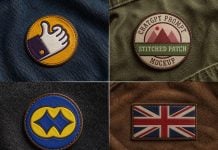
This ChatGPT prompt took me nearly 3 days continuously to make several different options and, most importantly, train the AI prompt. I generated several different prompts to get the desired result, and then the most difficult part that I had to manage with If and else conditions. When wooden, steel, and rustic signboards are present, the color option should be disabled, and that was an obvious thing. This was not a big deal; the main challenge was how to train and load the prompt with 4 different prompts, and finally, after a lot of struggle, I found how to do it, and today you will be proud to create all types of shapes and colors as per your choice. Don’t stop there; create the shapes and colors according to your branding. You can even give a hex code for your colors, and it will generate according to your given details. Just do not trim any part of the prompt while generating; otherwise, you will lose the real shape of the logo and will come up with something completely different than what I am sharing.
Today is another day that I am very proud of my effort and am finally providing the ChatGPT prompt sign mockup generator. I just want to mention that, give us a small favor, please install our Chrome extension; it is completely free and will always be. It is extemely useful to keep all your mockup links in one place, and you can even export them as a list. Anyways, after this mockup maker, you may never need any signage mockup because I have mentioned almost all the known shapes and base colors. In the future, I am going to add more angles, but it has become very tricky. Enjoy the sign mockup maker and keep generating your favorite shapes.
Shop Signage ChatGPT Prompt Generator
💡 Free Generation Steps:
- Click the Copy Formatted Prompt button above.
- Open chatgpt.com/images in a new browser tab.
- Like the example above upload your 2D logo directly onto ChatGPT.
- Paste your prompt and press enter to generate the image.
- Save this link by using our extension.
- 2x your image from the Upscale tab.
(Anti-Aliasing, Sharpening & Denoising)
ChatGPT builder, Upscaler, AI prompt training; all the above-generated images and icons are created by goodmockups.com