Instagram carousels are a great way to display multiple stories in one single post. According to the new update in 2026, you can include up to 20 images or videos for a carousel post. You can mix things up and share photos first and videos at the end. So, what are the dimensions? They can be 1200 x 1200px. If you can create a 16-bit photo, you will lose less quality during upload because Instagram has a built-in feature that lowers the photo’s size and quality. Make sure you are uploading PNG and 1024 x 1024 px dimensions on the minimum side. According to Instagram, you should upload a 1080 times 1350 pixel image size, which will give you the full real estate per image. Provide details about the images and ensure they are engaging or tell a story.
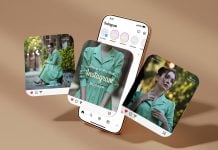
Today, we have created a 6-image iPhone 17 Pro Max Instagram carousel mockup in PSD format. Place your artwork on smart objects one by one and get a creative display of your designs. Background colors are changed, and you can even remove the shadows.


Description:
Available Format: Layered PSD, easy smart object insertion
License: Free for personal and commercial use
7-Zip File Includes: 2 Photoshop PSD Files | Use Keka to extract
Mockup Resolution: 4500 x 3000 px
Images credit: instagram.com/adiorga/?hl=en
Created by Goodmockups.com
Instructions:
1. Place your design on smart objects
2. Photoshop requirement: Adobe Photoshop CS5+