Color printing has become much cheaper since water-based inks and printers have entered the market. The market leader is Epson, and HP is also keeping pace and has a significant market share. If you are looking for a champion in the water-based printing category, then get the latest HP Smart Tank 500 series. Choose the latest version, and you will never regret a single day. It gives an amazing result for the color printing. Use 90 gsm color paper for full-color printing, and for less important documents, you can print on 80 gsm black-and-white only.
HP also offers free ink bottles that can last for 5-10 years, depending on your daily print quantity. In our office, we usually print 2-3 color prints and sometimes more. We have even printed many books on this printer, and after 5 years of continuous use, it is printing like a new printer. We still have a black ink refill bottle left. There was a time when it had some missing lines. I opened the printer cover and suck all the bubbles with a sucker tool used to fix the missing line. It was super easy to dismantle and assemble. Since then prints are flawless. If you are hesitant to open the printer by yourself, then send it to service. We suggest you watch a YouTube video, and you will easily fix the missing lines if you encounter this problem.
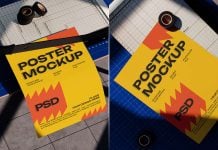
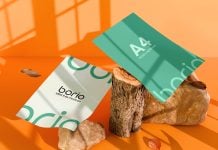
Today, we are sharing a printer test page print mockup in PSD format. If you design a test page print and would like to present then this is the mockup for you. There are two PSD files available in the zip.


Description:
Available Format: Layered PSD, easy smart object insertion
License: Free for personal and commercial usage
Zip File Includes: 2 Photoshop PSD files
Resolution: 3187 x 2390 px
Instructions:
1. Place your HP, Epson, Canon test page print design on a smart object
2. Photoshop requirement: Adobe Photoshop CS5+